
A notification makes two claims at once: something happened, and you should know now. The first claim may be true while the second is not.
Scheduled checkpoints separate arrival from review. Urgent exceptions still have a route, but ordinary updates wait for times you have chosen.
Classify alerts by the cost of waiting
List the alerts that regularly appear and place each in one class:
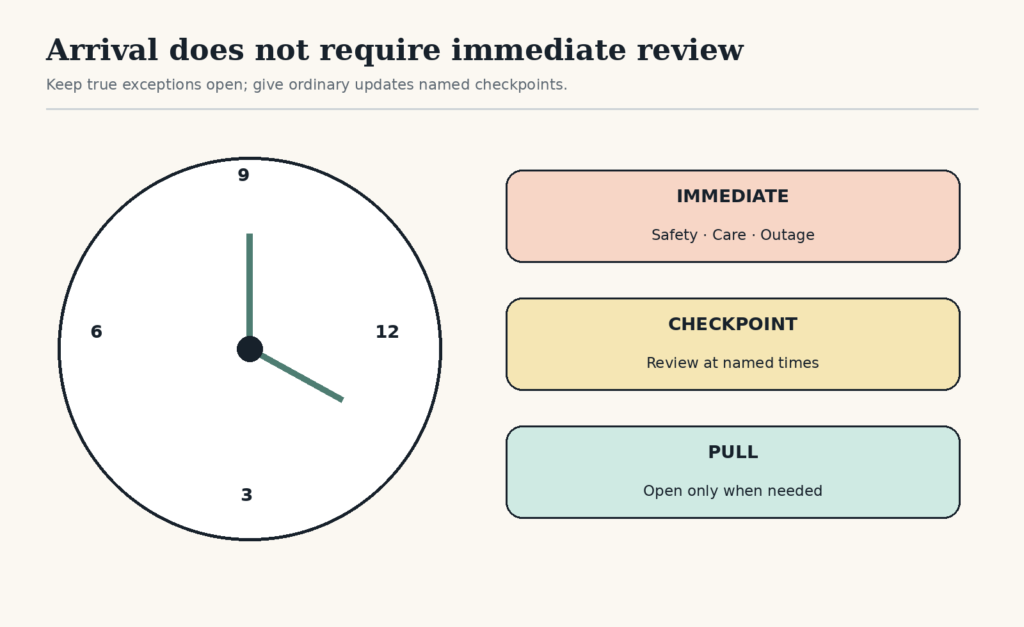
- Immediate: waiting could create a safety problem, care failure, outage, or hard same-day consequence.
- Checkpoint: important enough to review today, but safe to batch until a named time.
- Pull: useful only when you choose to open the app.
Classify the source, not merely the app. A messaging app may contain one emergency contact, one project channel, and several social groups. The correct settings may allow the first, batch the second, and silence the rest.
Choose checkpoints that protect response promises
Work backward from a real expectation. If colleagues expect a response within four business hours, two or three workday checks may be enough. If your role includes live support, the escalation channel may remain immediate while routine tickets wait in a queue.
A simple starting pattern is:
- one check after the first focused work period;
- one around the middle of the workday;
- one before closing work.
This is an example, not a universal schedule. Care, operations, customer support, accessibility needs, and shared responsibilities can require different intervals.
Configure exceptions before silencing
Current operating systems provide ways to allow selected people, apps, calls, reminders, or repeat callers while other alerts are silenced. Windows supports scheduled Do Not Disturb and priority notifications. Apple Focus can allow chosen people and apps and activate by time, location, or app. Android modes can filter people and apps and use schedules. Interface details vary by version and manufacturer, so verify the final settings and test an allowed contact. See official instructions for Windows, iPhone, and Android.
Do not silence emergency, medical, safety, security, caregiving, or required operational alerts through a generic rule. Confirm how repeat callers, alarms, and time-sensitive notifications behave on every device involved.
Remove the visual interruption as well as the sound
A silent banner, badge, watch vibration, or lock-screen preview can still pull attention. A laboratory study found that phone notifications alone disrupted performance on an attention-demanding task, even without direct interaction. The result does not establish one effect size for every person or work setting, but it supports reducing unnecessary delivery, not just muting sound. Read the original notification study.
For checkpoint sources, consider disabling banners, sounds, vibrations, lock-screen previews, and badges while keeping the items available inside the app.
Make the checkpoint a decision route
A checkpoint is not permission to scroll until the next alarm. Open the source with a question:
- Is anything truly urgent now?
- What can be answered in the checkpoint?
- What substantial work needs a next action and a separate block?
- What is waiting on another person?
- What can be archived, dismissed, or unsubscribed?
Move blocked work to a dated waiting list. Use email triage when a crowded inbox hides deadlines or consequences.
Test the system for three days
Track four observations:
| Observation | Possible adjustment |
|---|---|
| A real urgent item waited too long | Add a narrow exception or shorten that checkpoint interval |
| You opened the app between every checkpoint | Move it off the main screen or close the logged-in browser tab |
| Checkpoints became long processing sessions | Capture substantial work as next actions and stop at the time boundary |
| No useful items appeared | Reduce the number of checks or move the source to Pull |
An experimental study in which participants limited email checking during one week found lower reported daily stress than during a week of unlimited checking. The study was short and does not determine the right frequency for your work. It supports testing less frequent checking where responsibilities allow. See the original email-checking study.
Example: a mixed personal and work phone
Ana needs calls from family, school, and the on-call work number immediately. Team chat questions can wait until 10:30, 1:30, and 4:30. Shopping, news, and social apps do not need alerts.
She allows the required contacts, turns off previews and badges for checkpoint apps, and adds the three checks to her workday. After testing, she discovers that calendar reminders must also remain immediate. One adjustment protects appointments without returning every app to the foreground.
The point is not to make the phone quiet at all costs. It is to make each interruption earn immediate access and give everything else a dependable return time.
Free GentleDone resource
Overwhelmed? Start with 10 minutes.
The GentleDone 10-Minute Reset gives you one deliberately small place to begin.