

A file name should help you recognize the file before opening it. It does not need to contain the entire history of the project, every collaborator, three dates, and the word “final” four times.
The simplest useful pattern is:
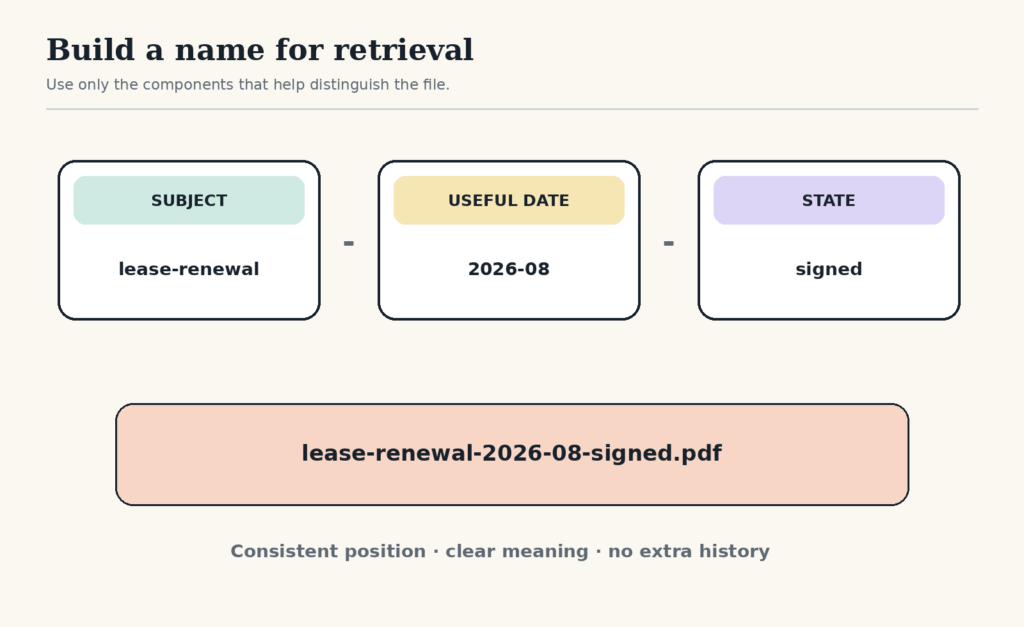
subject — useful date — state
Use only the parts that improve retrieval. Consistency matters more than filling every slot.
Start with the words you would search
The subject should match the phrase you or a colleague would type six months from now. Prefer “lease-renewal” to “document,” “vendor-pricing” to “spreadsheet,” and “team-retro-decisions” to “notes.”
Do not repeat the folder name unless it distinguishes the file. Inside a folder called 2026-tax, the name 2026-tax-bank-statement-january.pdf may be longer than necessary. bank-statement-2026-01.pdf is easier to scan.
Add a date only when time changes meaning
Dates help with recurring statements, meeting records, exports, versions tied to a reporting period, and documents whose age matters. Use year-month-day order when exact chronology matters: 2026-08-15. Use year-month for monthly material: 2026-08.
Do not add the date merely because the file exists. A stable reference such as brand-color-guide.pdf may be clearer without a date until versions actually compete.
Add state when two files could be confused
Useful states describe what another person may safely do with the file:
draft— still changing;for-review— ready for a named review;approved— accepted for the defined use;signed— contains executed signatures;submitted— sent through the required route;archive— kept as a historical copy, not current.
Avoid final-final-v2-new. If several drafts must coexist, use a consistent version number or date and define which state is authoritative.
Choose separators your systems can tolerate
The U.S. National Archives recommends meaningful, consistent conventions, keeping components in fixed positions, and using underscores or hyphens instead of spaces in its electronic-record transfer guidance. Its exact restrictions serve federal records workflows and may be stricter than your personal or company tools require. The transferable lesson is to choose a pattern that sorts predictably and works across the systems you actually use. Read the NARA guidance.
A cautious general pattern uses lowercase letters, numbers, and hyphens, leaving the final period for the extension:
client-onboarding-checklist.pdfboard-minutes-2026-08-15-approved.pdfinventory-export-2026-08.csv
Keep required legal, records-management, scientific, or client conventions when they exist. This guide is for low-consequence personal and small-team files, not a replacement for an established records policy.
Test the pattern with five retrieval questions
- Can I tell what the file is without opening it?
- Will related files sort together?
- Can I distinguish current, draft, signed, and submitted copies?
- Would another person understand the abbreviations?
- Does the full path remain readable after folders are included?
If a name fails one question, change the relevant component rather than inventing a larger system.
Rename in small, useful batches
Do not begin by renaming an entire drive. Start where retrieval is failing:
- files attached to the project active this week;
- documents that have several competing versions;
- downloads that need to be retained;
- records that another person must locate.
For the temporary intake folder, use the Downloads Folder Reset. It helps you decide what deserves a permanent name before you spend time renaming disposable files.
Example: remove ambiguity from a shared folder
A project folder contains notes.docx, notes-new.docx, proposal-final.docx, and proposal-final-REAL.docx. The team agrees that meeting notes will use the meeting date and proposals will use a state.
The files become meeting-notes-2026-08-12.docx, meeting-notes-2026-08-14.docx, proposal-for-review.docx, and proposal-approved.docx. If edits resume, the approved copy moves to an archive folder before a new draft begins. The names now answer what the files are and how they may be used.
A naming system is finished when it reduces opening, guessing, and duplicate-saving. Stop before the convention becomes harder to remember than the files.
Free GentleDone resource
Overwhelmed? Start with 10 minutes.
The GentleDone 10-Minute Reset gives you one deliberately small place to begin.